Create and manage clients
Who: Administrators and migrated Internal Members with legacy organization management can create clients. The directory's Edit, Delete, and Links actions are shown to administrators. Document access roles alone do not grant client creation or organization management.
A client is the workspace that holds an organization's or person's documents. Create the workspace before assigning users to it.
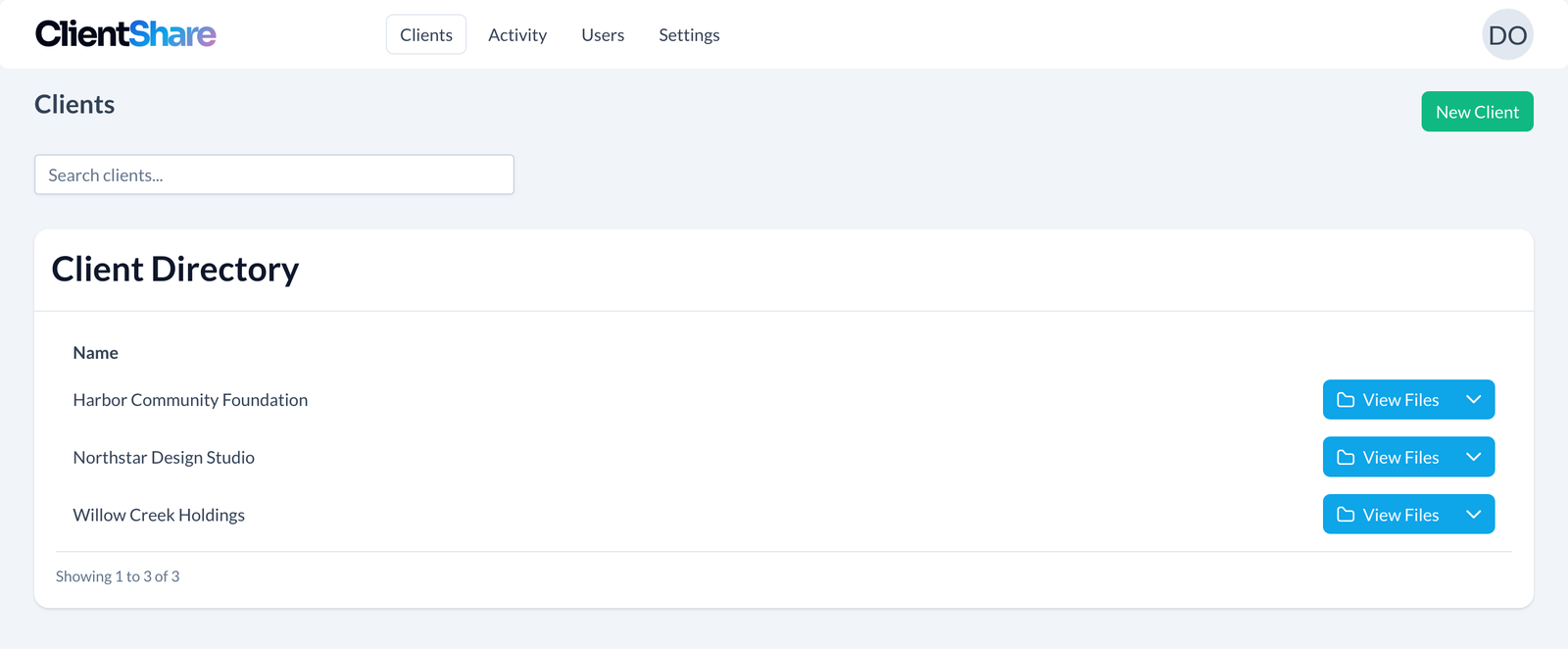
Create a client
- Open Clients → New Client.
- Enter a recognizable name, such as
Willow Creek Holdings. - If you want a link immediately, enable Generate secure link and select its permissions and expiry. Creating the link does not email it.
- Submit the form.
The client appears in Client Directory with its own root folder. If link creation fails after the client is created, use that existing client's Links action to try again; do not create a duplicate client.
Find and open a client
Use Search clients... to narrow the directory. Use the page controls when the list spans multiple pages. Select the client name or View Files to open its files.
The dropdown beside View Files offers Share when you can share the workspace, View Users and Add User when you can manage people, and, for administrators, Links, Edit, and Delete. Share opens access to the entire workspace. Select Sharing links there to create a link, or add email addresses to invite named accounts.
Edit a client
- Open the client's action dropdown and select Edit.
- Change the name and save.
- Confirm the updated name in the directory.
Renaming the client is different from changing a user's name or email. Manage those from Users.
Delete a client
Open the client's action dropdown, select Delete, and read the confirmation before proceeding. Client deletion removes the workspace from the portal and moves its document storage out of the active client area. Download anything you need to retain first.
Deletion is not an access toggle
To stop a particular recipient's access while keeping documents, manage their user assignment or revoke their secure link instead. The app does not provide a trash/recovery workflow for deleted client workspaces.
Next: Invite client users or organize folders.